How to Reverse a GIF Without Breaking the Timing
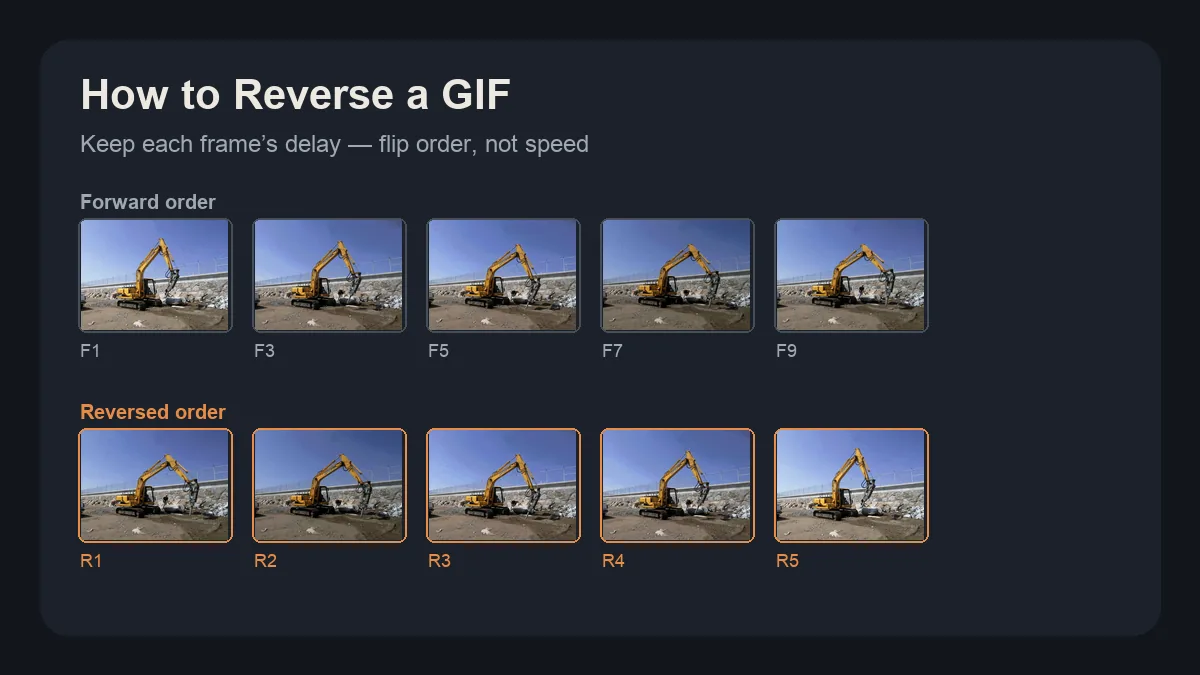
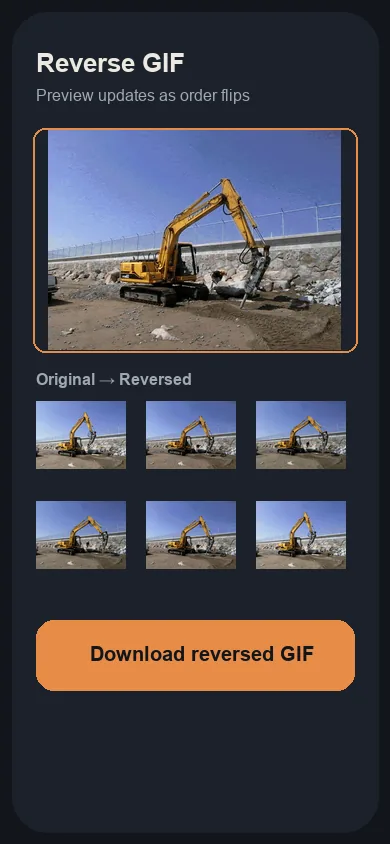
To reverse a GIF, open the GifSquash Reverse GIF tool, select your file, check the reversed preview, then download. Playing a GIF backwards is the same job under another name — you flip frame order while each frame keeps its original delay so the tempo does not suddenly feel robotic.
Reverse vs Play Backwards: Same Job, Different Names
Searchers say play gif backwards, reverse animated gif, or simply “flip it.” All of those mean the same operation: last frame plays first, first frame plays last. The useful distinction is not the wording — it is whether the tool preserves per-frame delays when it rewrites the file.
Why a Reversed GIF Looks Wrong
Three traps show up after a careless reverse. First, the original last frame becomes the new first frame. If that last frame was a held pose, the loop now opens on a freeze, then snaps — a duplicate seam that feels like a stutter.
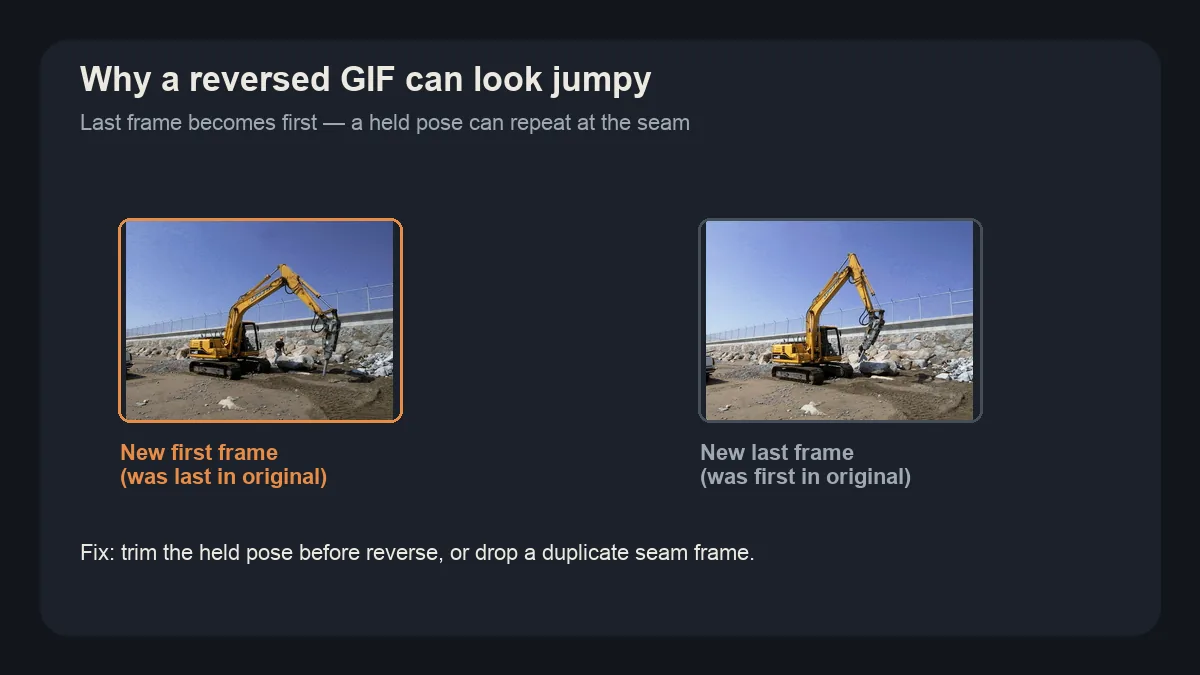
Second, some reversers flatten every delay to one constant. A clip that eased in and out now ticks like a metronome. Delays must travel with their frames, not get rewritten into a single number.
Third, dropping the loop flag turns a sticker that should repeat forever into a one-shot. Confirm the reversed file still loops in chat after download.
How to Reverse a GIF in 3 Steps
- Select the GIF. Open the Reverse GIF tool and tap Select GIF. We use the same excavator sample as the trim walkthrough so every screenshot stays comparable.
- Check the reversed preview. Watch the flipped order once. Look for a held pose at the new start and confirm the motion still eases the way it did forward.
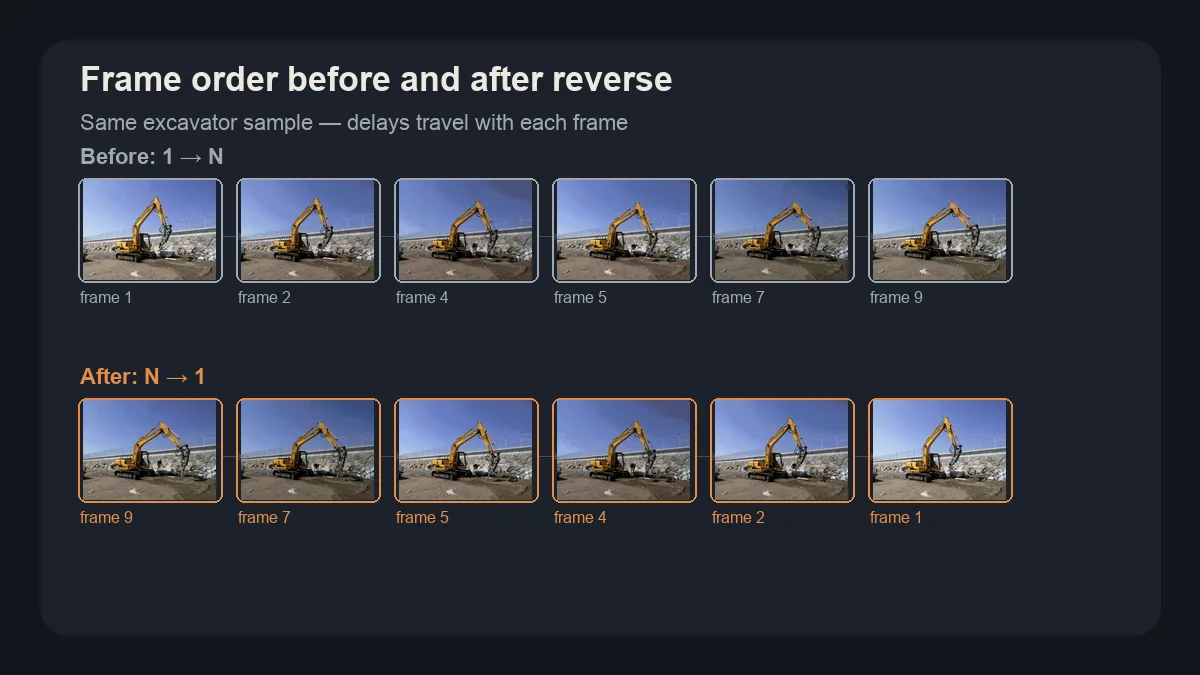
Before: frames run 1 → N. After: the same frames run N → 1, with delays still attached to each frame. - Download. Tap Download reversed GIF. File size should stay in the same ballpark; what changed is direction, not duration math.
Reverse Only Part of a GIF
If only the punchline should run backwards, trim the GIF first, then reverse the shortened clip. Cutting idle lead-in and trailing pause removes the seam frames that look worst after a flip. The full frame-by-frame trim guide covers how Start and End map to the status line before you reverse.
Where Reversed GIFs Actually Get Used
Discord reactions often land harder backwards — a face plant that “un-falls,” or a nod that becomes a double-take. Creators also pair a forward clip with its reverse to build a bounce loop without re-shooting. Tutorial and product demos use reverse to walk a motion back one beat at a time so viewers can see how a state returns.
FAQ
Can I reverse a GIF on my phone?
Yes. Open the GifSquash Reverse GIF tool in Safari or Chrome, select the file from your photos, check the reversed preview, then download. Very large phone GIFs may stall — trim them shorter first if memory runs out.
Will reversing a GIF make it blurry?
Reversing only changes frame order. Softness usually comes from a weak re-encode or an already soft source, not from flipping direction. GifSquash keeps each frame’s delay so motion timing stays intact.
Can I reverse only half of a GIF?
Trim the range you want first with the Trim GIF tool, then reverse that shorter clip. Reversing the whole file and hoping the middle lands cleanly usually leaves awkward seam frames.
How do I reverse a GIF in Photoshop or CapCut?
Photoshop can reverse frames in the Timeline panel after you import the GIF as layers. CapCut can reverse a clip on the video timeline, then export — often as MP4, so you may need an extra GIF export step. A browser reverser is faster for chat stickers.
Does reversing change the file size?
Usually only a little. Frame count stays the same, so size shifts come from re-encoding palettes, not from order alone. If size jumps, try trimming idle frames before you reverse.
Can I reverse a GIF online for free?
Yes. GifSquash reverses GIFs in your browser with no account and no upload to our servers. Open Reverse GIF, preview the flipped playback, and download.
Next steps
Clean the range with Trim GIF when the seam looks jumpy, then reverse again. For the exact scrubbing pattern on the timeline, keep How to Trim a GIF Frame by Frame open beside this guide — same sample file, same frame numbers, two edits that stack.